Check your Vault
Two checks, both done on your computer, without the internet: the LEGATEM checker, to download, and the test built into your Vault.
Check your file, offline
The LEGATEM checker is a small separate file that works like your Vault: on your computer, with no connection possible. It confirms that your Vault’s program is exactly LEGATEM’s.
- Download the checker. Once is enough.
- Open it with a double-click, in Chrome or Edge. You can switch off the internet.
- Drop your Vault into the window, or choose it. The result appears straight away.
HTML file · 20 KB · Recognised versions: LEGATEM Solo 1.0.1 · LEGATEM Duo 1.0.1 · LEGATEM Solo 1.0.2 · LEGATEM Duo 1.0.2
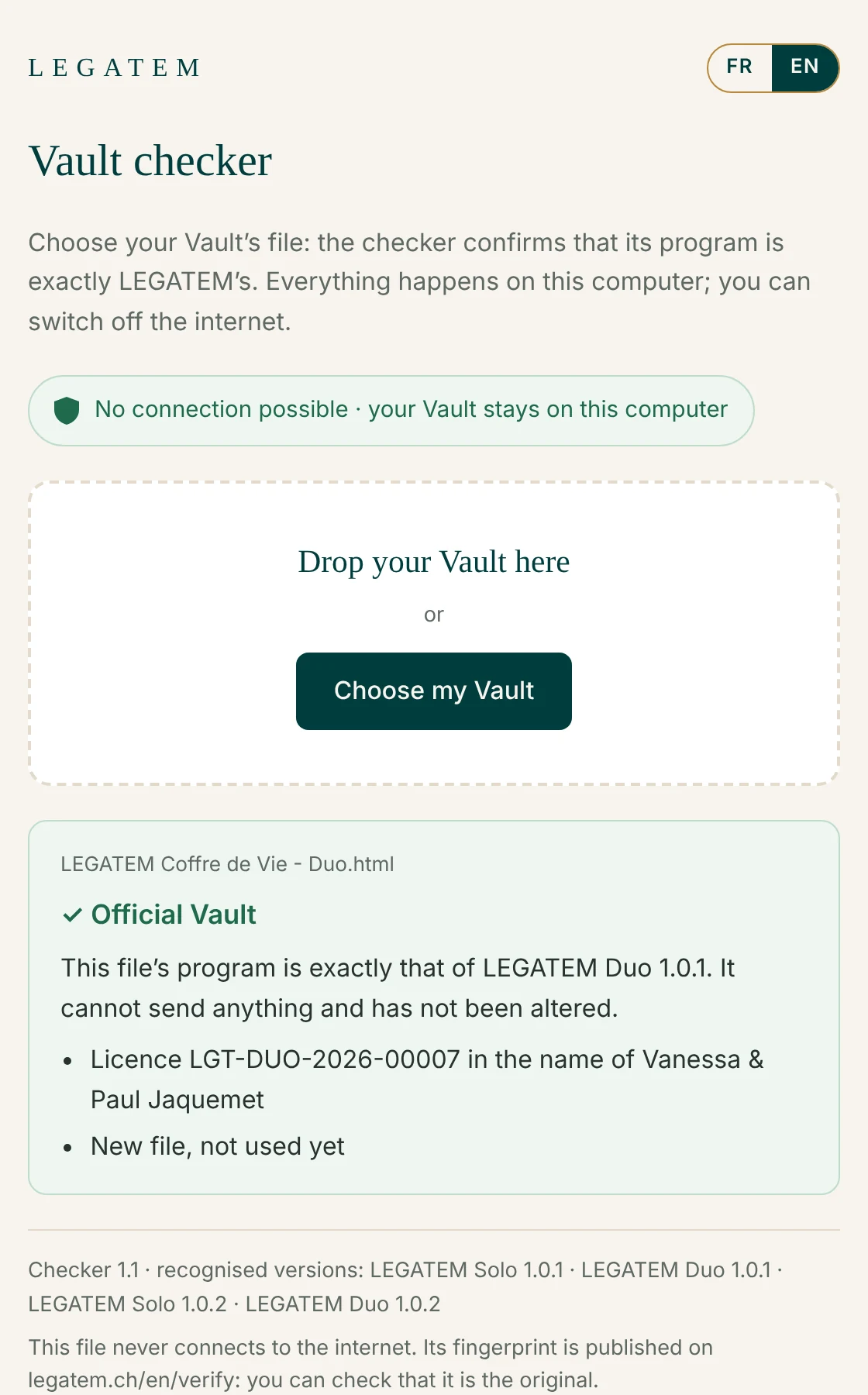
How it works: the checker reads your Vault’s security rule and the program it allows, then compares their fingerprints with those of the official versions. Your name, your licence and your encrypted data are set aside: the check also works on a Vault already filled in, and your data is not read.
Checking the checker itself
Its fingerprint (SHA-256) is:
7d5f545b7697d6dcfcac91b42b2577de20ebe5535fe39b678b3005acce1cb4a1
To compare it, open Command Prompt (Windows) or Terminal (Mac) in the folder containing the file, then type the command below. The result must be identical, ignoring spaces and capital letters.
Windows
certutil -hashfile LEGATEM-Verificateur.html SHA256
Mac
shasum -a 256 LEGATEM-Verificateur.html
The test built into your Vault
Run the check
On your Vault’s password screen, and in Settings under encryption, you will find this line. Click “Check”.

The expected result
A window opens. If your Vault is the official file, it looks like this:
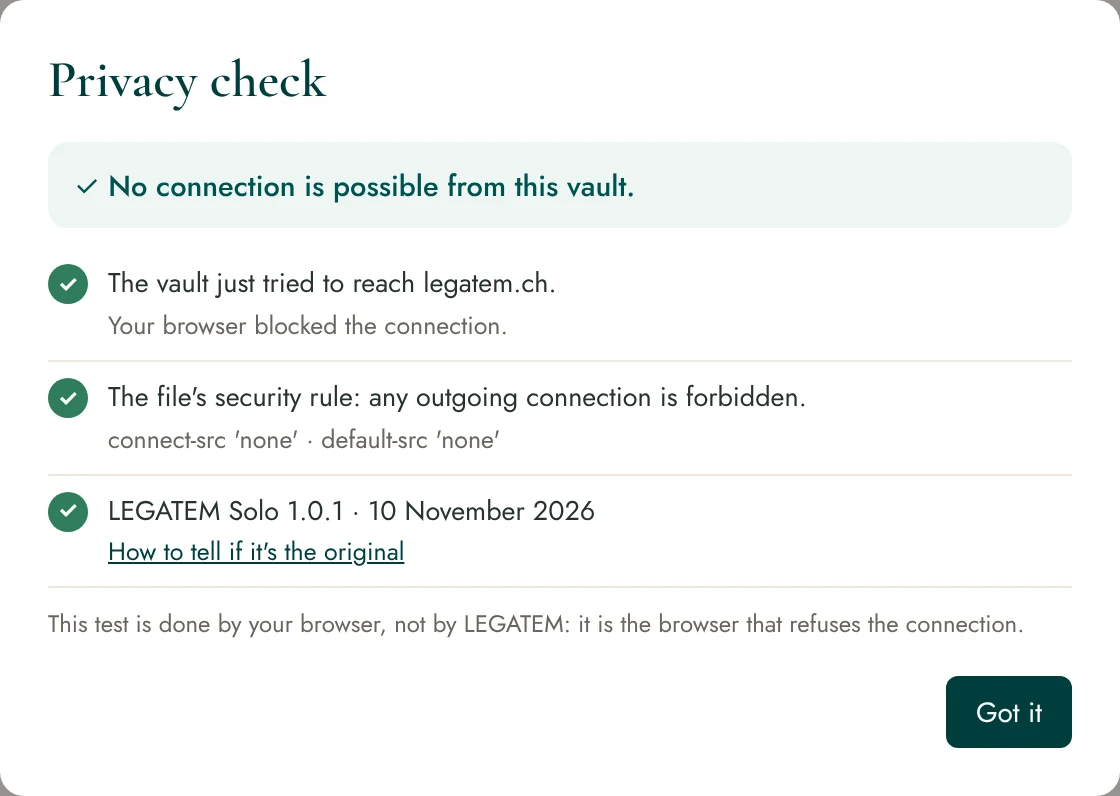
- The Vault genuinely tried to reach legatem.ch, and your browser blocked it: nothing left your computer.
- The file’s security rule, which forbids any outgoing connection, is present.
- The name of your Vault (Solo or Duo) and its version.
This check is done by your browser, not by LEGATEM. The Vault also repeats it on its own every time it opens: as long as all is well, you simply see the green line from step 1.
If you see this
The line turns red and the window shows a warning: the file’s security rule is missing or altered. This file is probably not the original.

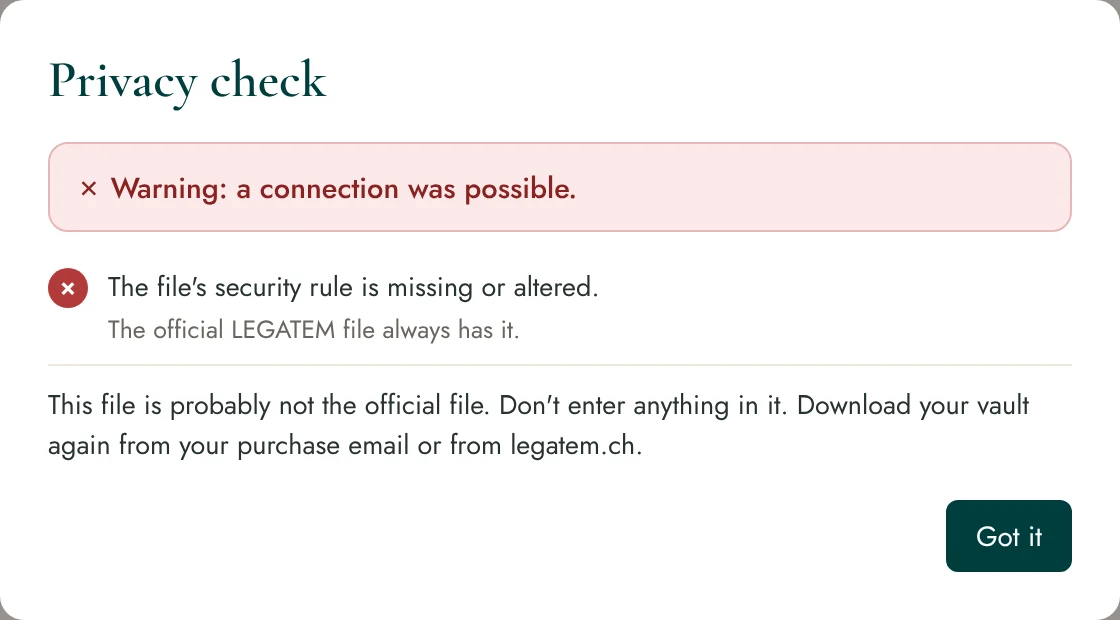
- Do not enter anything in this file, and close the tab.
- Download your Vault again from your order e-mail. The links remain valid for 30 days after purchase.
- If your links no longer work, write to contact@legatem.ch with the e-mail address of your order: you will receive a new link.
Where an official file comes from
Your order e-mail
Sent by contact@legatem.ch, with your download link and your licence number (LGT-SOLO-… or LGT-DUO-…).
The confirmation page
Shown on legatem.ch right after payment, with the same download link.
Do not use a Vault whose origin you do not know. Once you have saved your Vault, keep copies of it: that file is yours.
Going further
- Switch off the internet (Wi-Fi or airplane mode), then open and save your Vault: everything works the same way.
- Open your browser’s developer tools (F12 key), “Network” tab, then use your Vault: no request goes out.
Any questions? Write to contact@legatem.ch.